Some antivirus software, such as 360 Total Security and 360 Antivirus, may misidentify the software as a virus, preventing installation or quarantining some software files, causing reconstruction to fail immediately upon clicking. This is actually a false positive caused by our software encryption. Software downloaded from official channels (https://na.mipmap3d.com/download) is safe to use! If you encounter this situation, we have two solutions:
- If files have already been quarantined, restore the quarantined files (common quarantined files include mipmap_engine.dll)
- Add the software installation directory to the antivirus software's trust list Below is a demonstration using
360 Total Securityas an example on how to restore quarantined files and add to the trust list:
1 Restore Quarantined Files (common quarantined file mipmap_engine.dll)
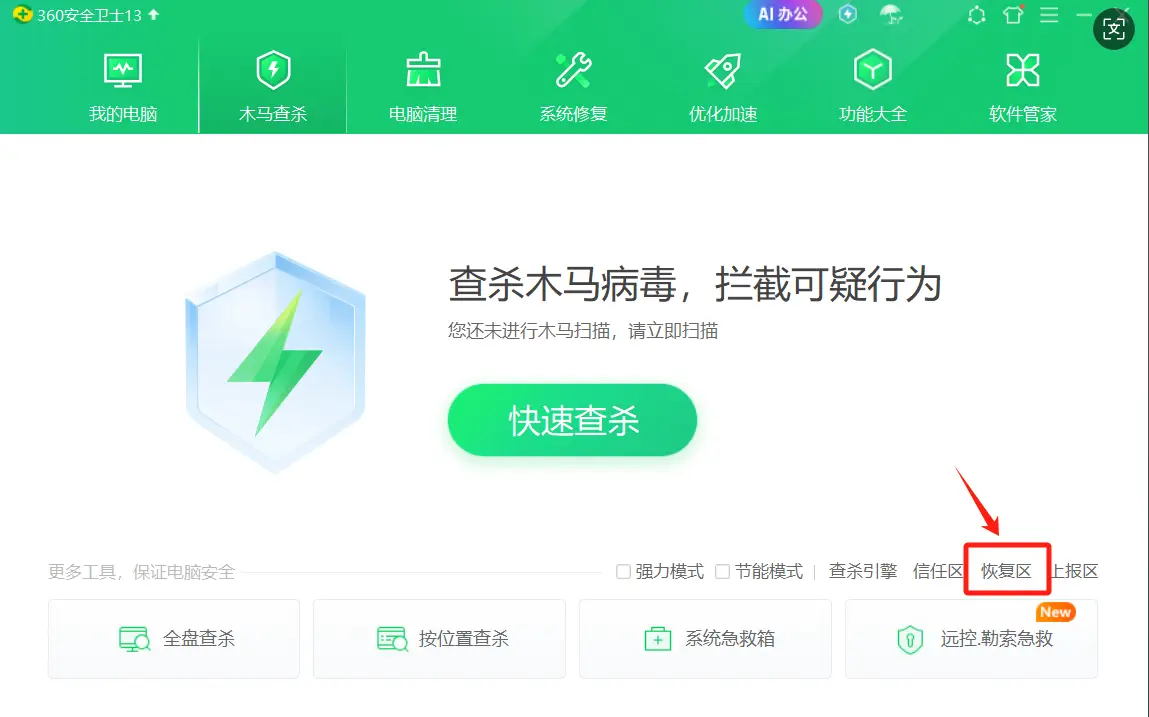
(1) Open 360 Total Security, click Virus Scan, then click Quarantine
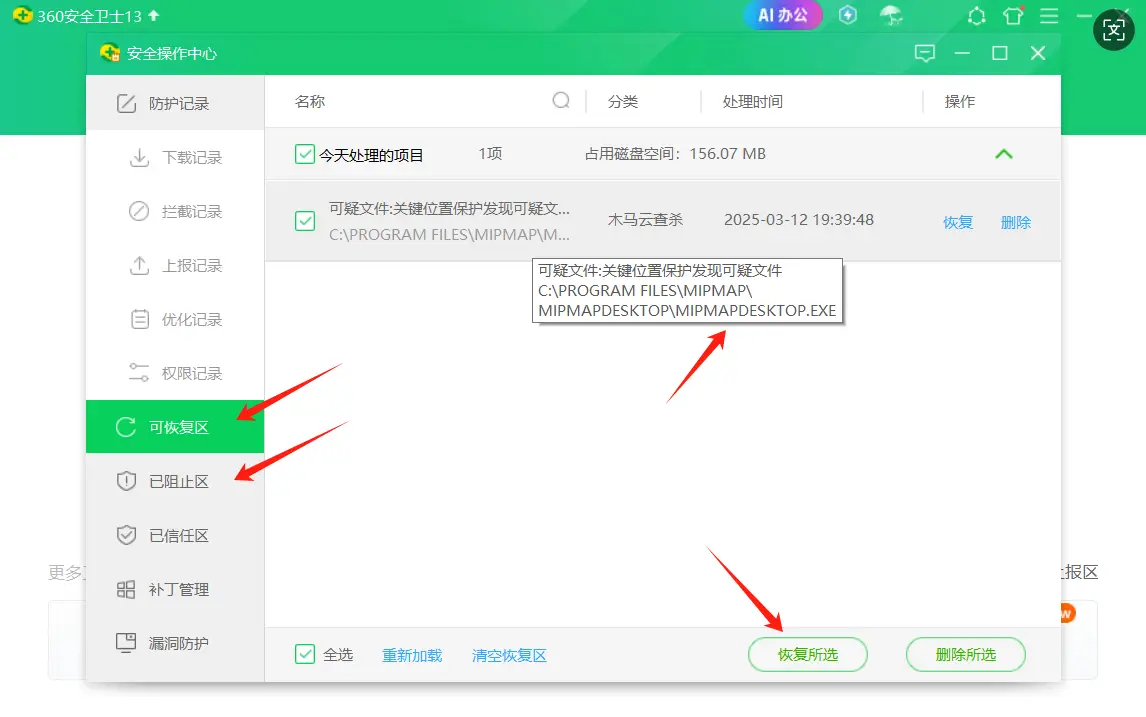
(2) In the Quarantined and Blocked sections, find quarantined files with "mipmap" in their names, such as mipmap_desktop.exe shown in the figure below. Another common one is mipmap_engine.dll. Select the file and click Restore Selected
2 Add Software Installation Directory to Trust List
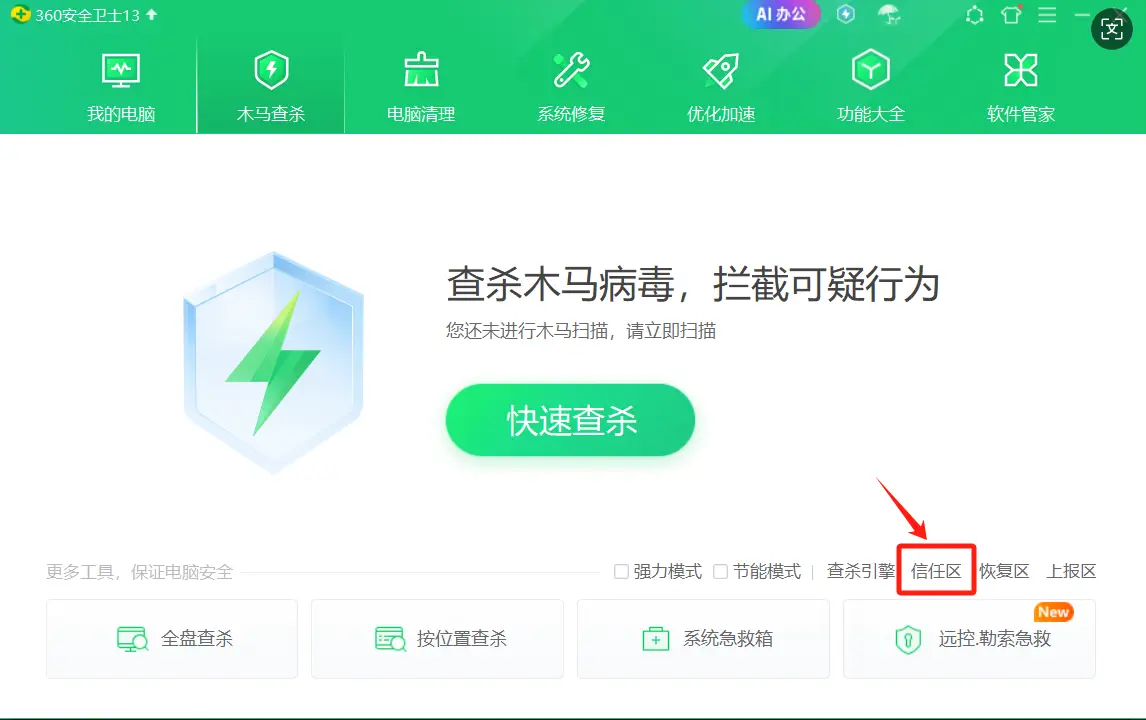
(1) Open 360 Total Security, click Virus Scan, then click** Trust List
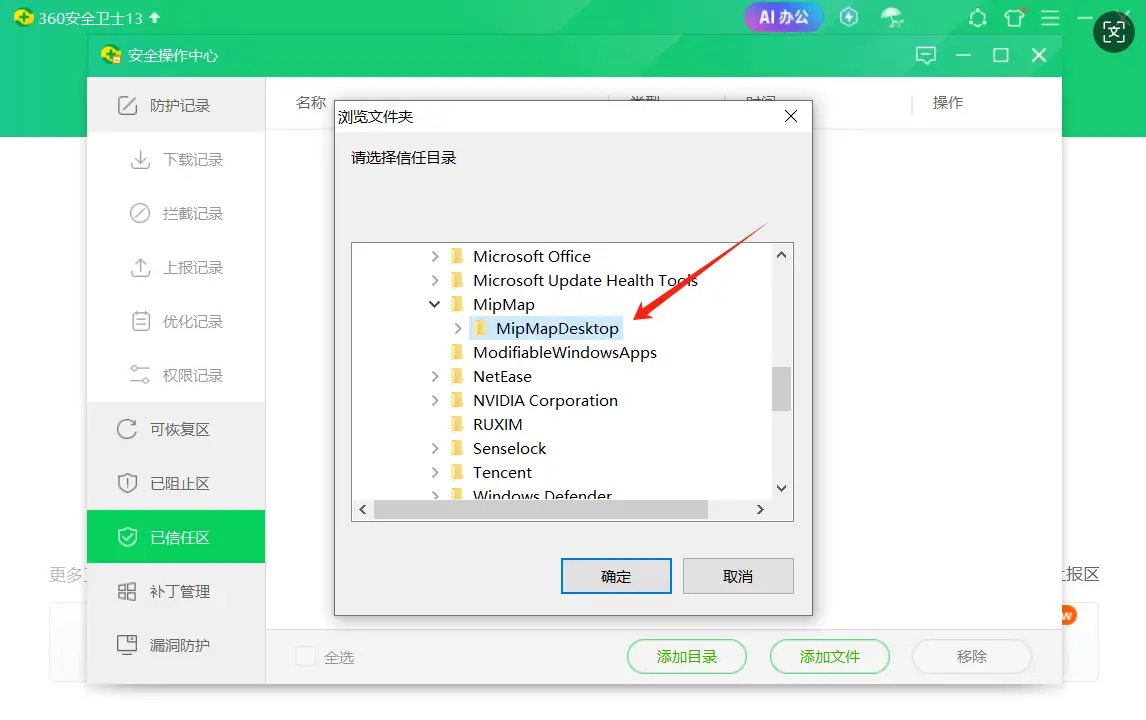
(2) On the Trusted page, click Add Directory
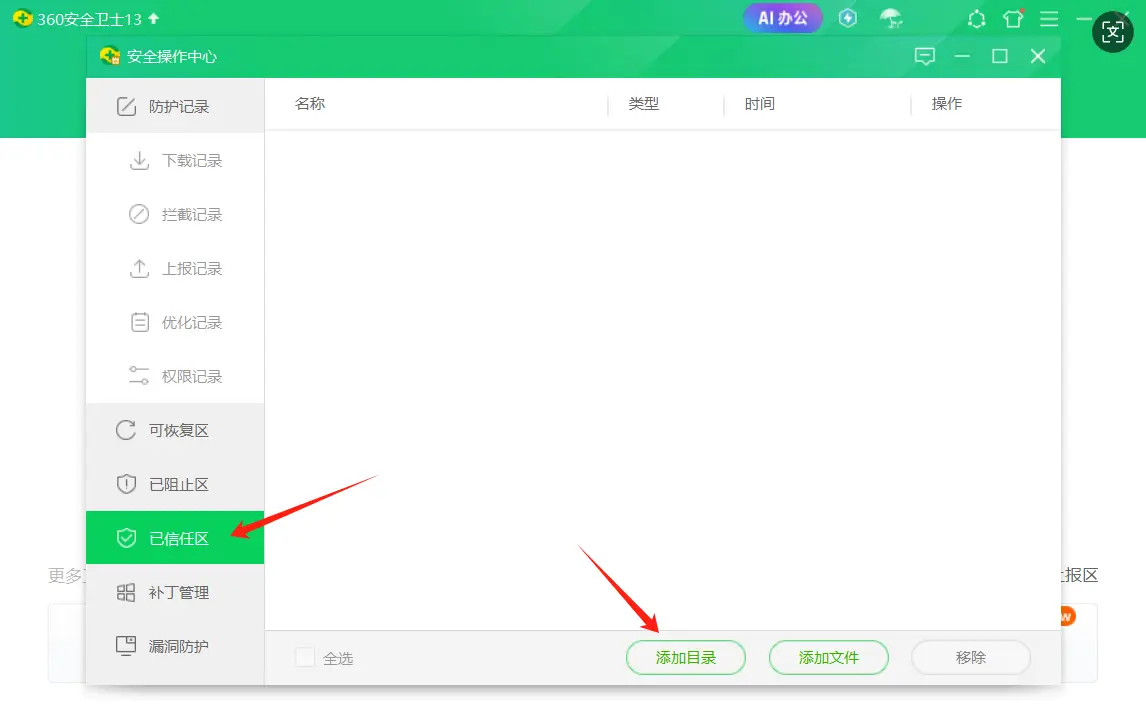
(3) In the pop-up directory selection page, select the MipMap Desktop installation directory and click OK to complete the addition. (The default software installation directory is C:\Program Files\MipMap\MipMapDesktop)