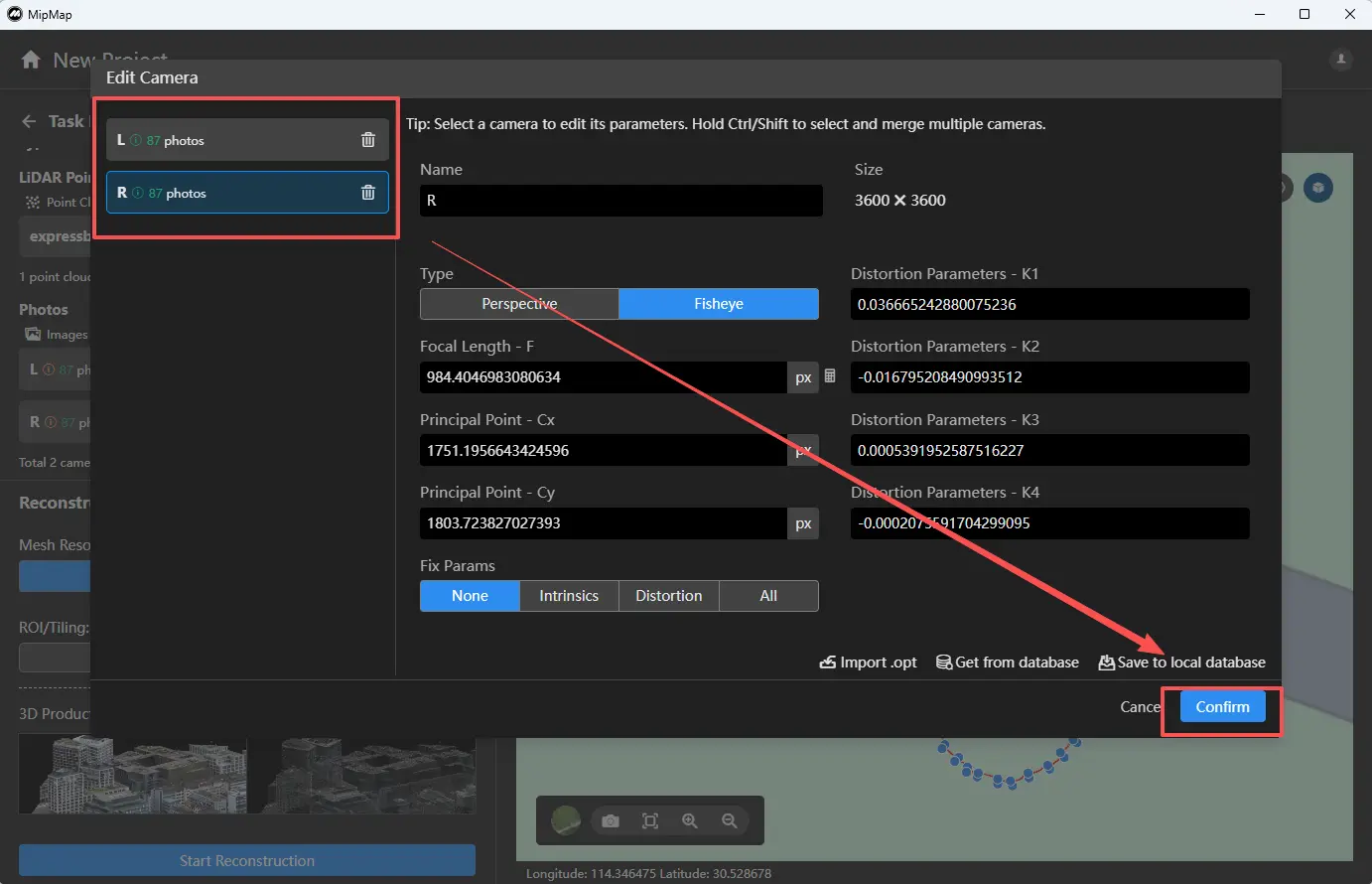
4.2.5 Camera Parameters
Click Edit Camera above the image list to view and modify the corresponding camera parameters.

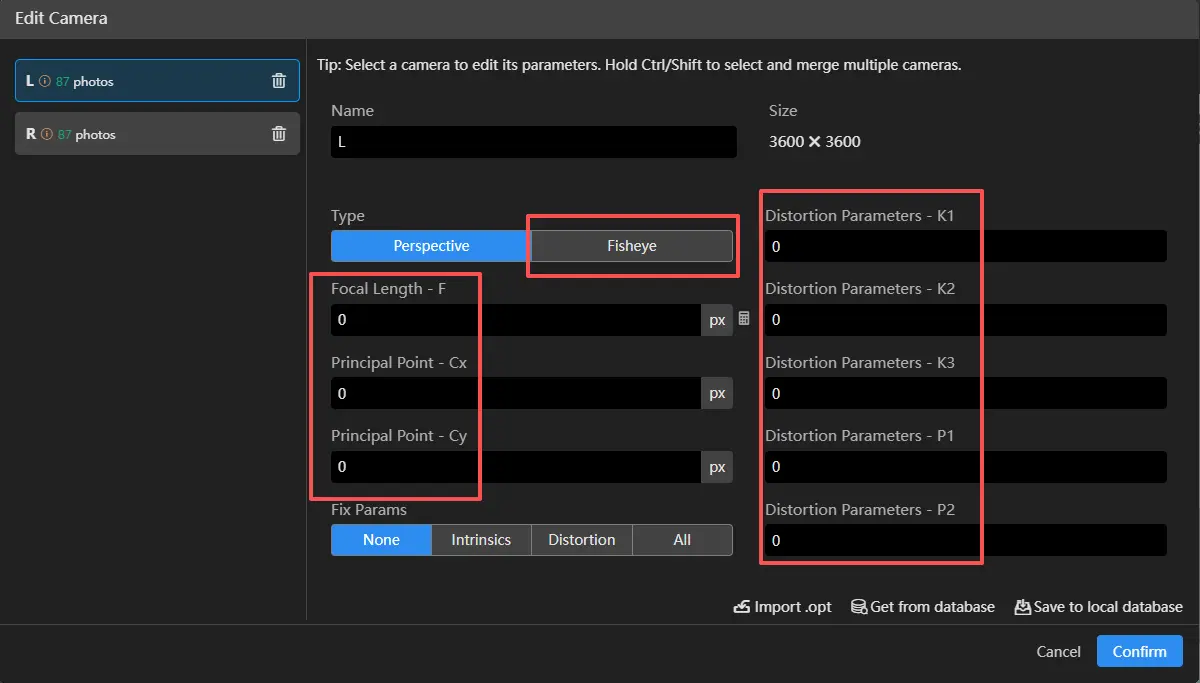
LiDAR systems typically use fisheye cameras. Select Fisheye as the camera type, then set the corresponding focal length, principal point (X, Y), distortion parameters, and other required values.
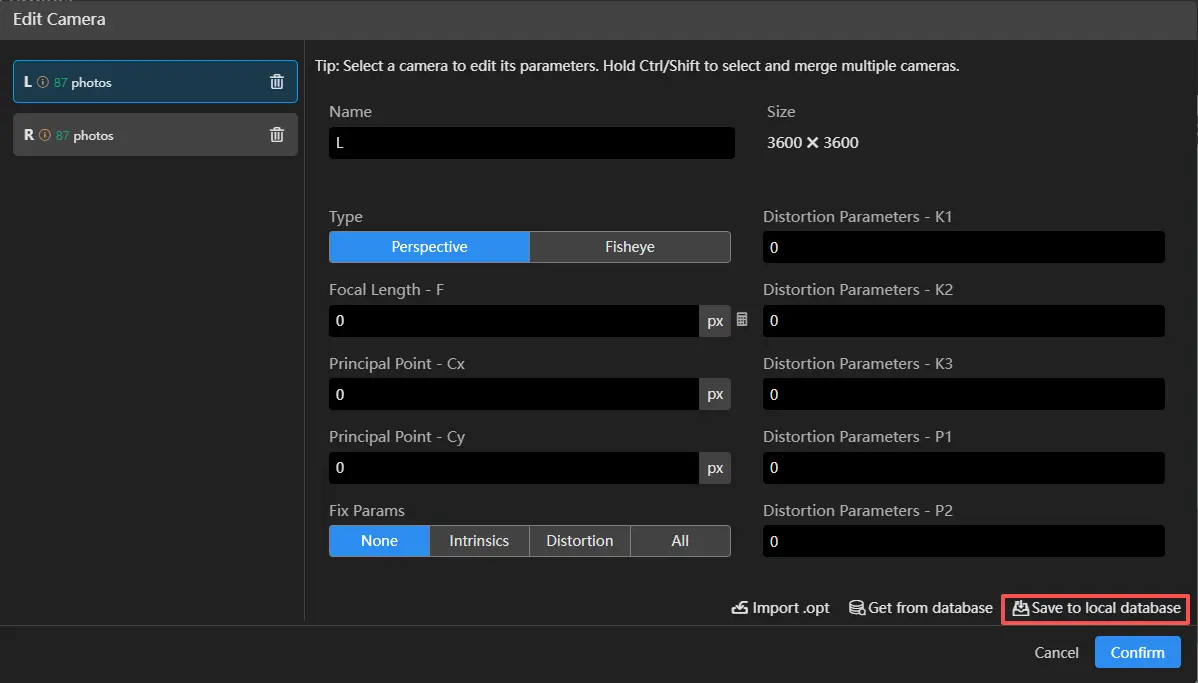
The configured camera parameters can be saved to the local database by clicking Save to Local Database.
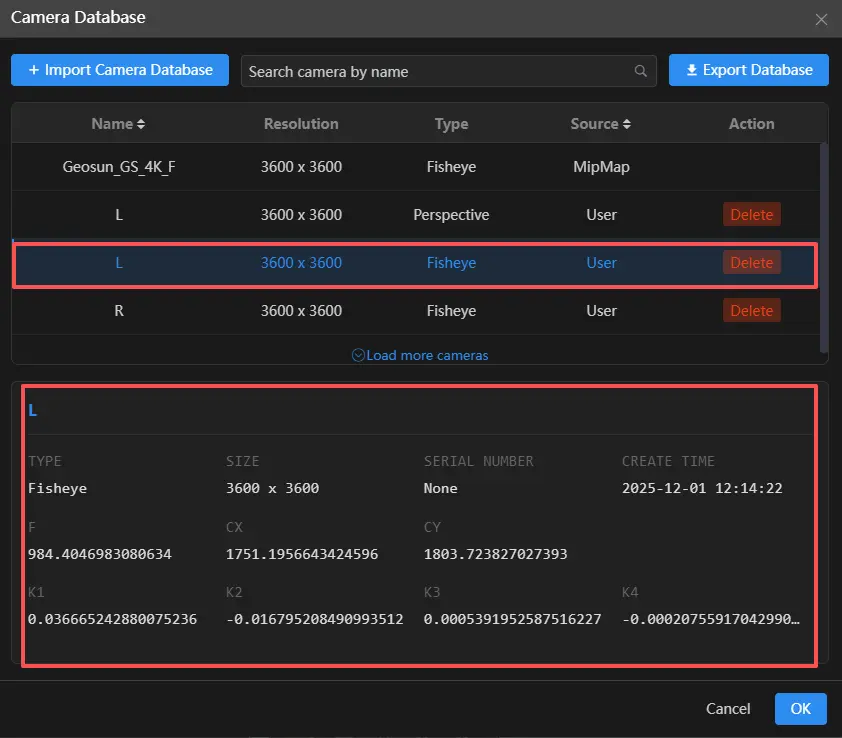
You can click Select from Database  to apply saved and built-in camera parameters.
Use the camera list on the left to switch between cameras and configure their settings. After all camera parameters are set, click Confirm.